I Vibe Coded a Windows XP Hugo Theme
A Hugo theme that recreates the Windows XP Luna Blue desktop in the browser, with a Windows Mobile 2003 mode for phones.
· 4 min read
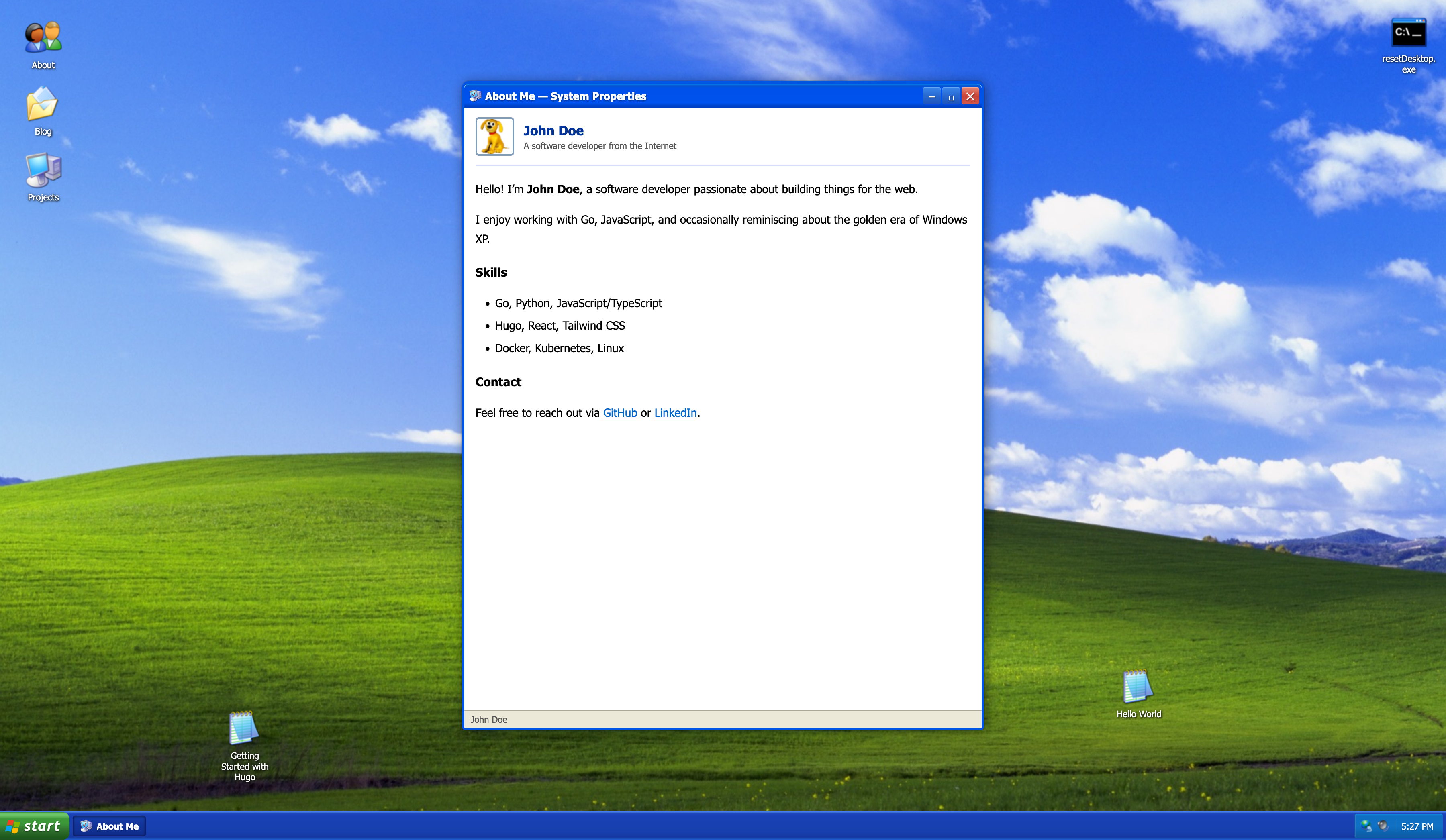
I’ve always had a soft spot for the Windows XP aesthetic. The Luna Blue theme, the Bliss wallpaper, the chunky title bars — it all hits different. So I decided to build a Hugo theme that recreates the full desktop experience in the browser.
Why build a retro OS theme? #
Most Hugo themes look the same — clean, minimal, a sidebar, a list of posts. I wanted something that makes people stop and smile when they land on your site. The XP desktop is instantly recognizable to anyone who used a computer in the 2000s. Turning that into a functional Hugo theme felt like the right kind of absurd.
The theme isn’t just a static screenshot. Every element works: windows drag and resize, the Start Menu opens and closes, the taskbar tracks open windows, and the clock updates in real time. It’s a fully interactive desktop simulation, but under the hood it’s still just HTML, CSS, and vanilla JavaScript — no React, no framework, no build step.
What it does #
The theme simulates a Windows XP desktop, complete with:
- Taskbar and Start Menu — a functional taskbar with a start menu, system tray, and clock
- Window Manager — windows you can drag, resize, minimize, maximize, and close
- Explorer Views — a detail list view for blog posts and an icon grid for projects
- Desktop Icons — scattered Notepad files on the desktop that link to blog posts
- Picture and Fax Viewer — clicking any image opens the classic photo viewer with zoom, rotate, and navigation
All site navigation — desktop icons, start menu entries, sidebar links — is driven by Hugo’s menu.main configuration. No hardcoded sections. Add a new page to your Hugo menu, and it automatically appears in the Start Menu and as a desktop icon.
Mobile: Windows Mobile 2003 #
Instead of just making the XP desktop responsive (which would be awkward at small sizes), the theme switches to a Windows Mobile 2003 Pocket PC interface on phones. The Today screen, the top bar, the blocky UI — it’s all there.
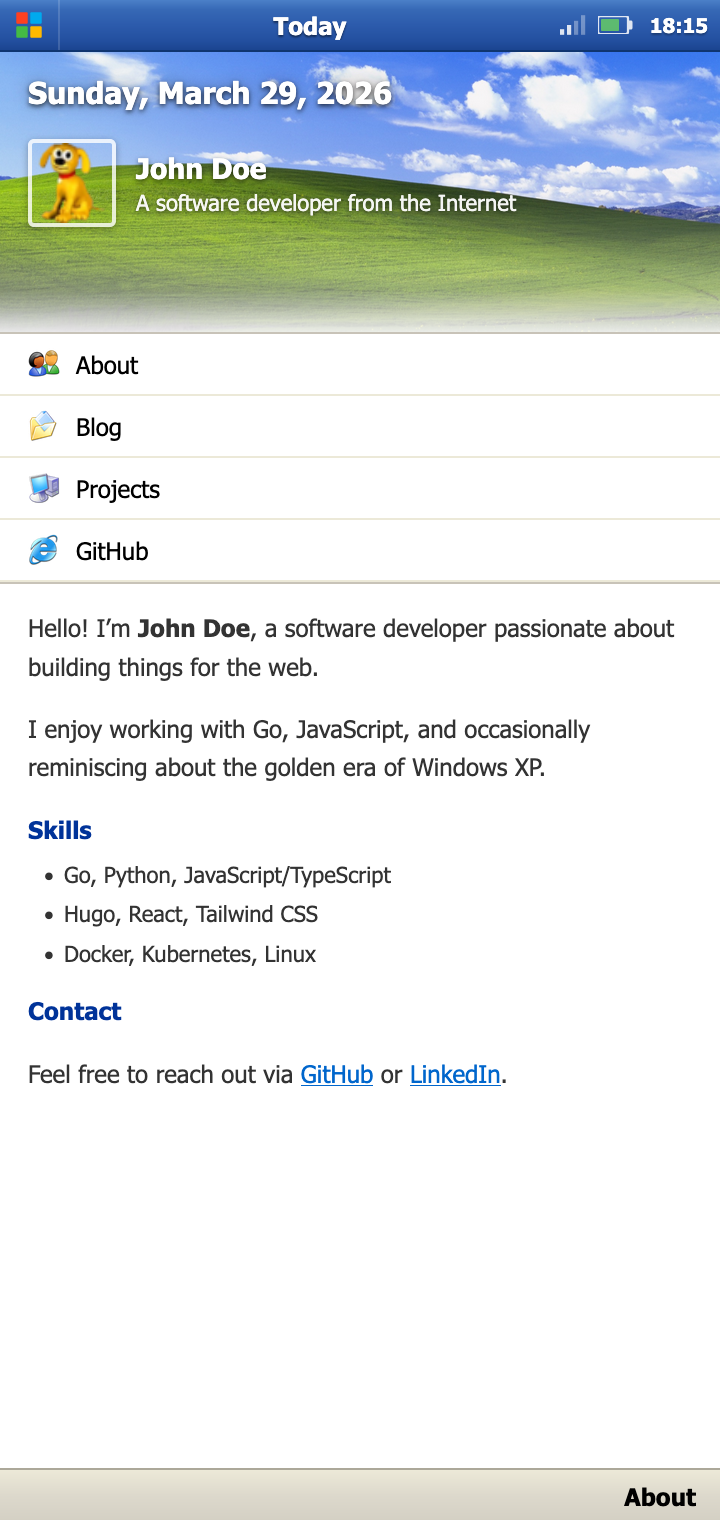
The mobile mode isn’t an afterthought. It’s a complete rethinking of the interface for a small touchscreen, just like the original Pocket PC was. The Start Menu becomes a full-screen launcher. Content renders in a single scrollable column with Pocket PC-style headers.
Installation #
Add the theme to any Hugo site via Git submodule:
git submodule add https://github.com/probonas/hugo-theme-windowsxp.git themes/hugo-theme-windowsxpOr use Hugo Modules — add to your hugo.toml:
[module]
[[module.imports]]
path = "github.com/probonas/hugo-theme-windowsxp"Then run hugo mod get -u.
Configure your menu entries however you like — they’ll show up in the Start Menu. Add a [params] section for your avatar, name, bio, and social links, and you’re done. The included exampleSite/ has a full working configuration you can copy.
Customization #
The theme is designed to work out of the box, but you can tweak quite a bit:
- Wallpaper: Set a custom desktop background via the
xp.wallpaperparam - Menu structure: Desktop icons and Start Menu entries mirror your Hugo menu — reorder or rename them in
hugo.toml - CSS: Override styles by creating
assets/css/xp.cssin your site, or customize window chrome in the theme’s CSS
Vibe coded #
This was entirely vibe coded with Claude. I described what I wanted — the XP desktop, the window manager, the Explorer layouts — and iterated from there. The HTML templates, the CSS, the vanilla JS window manager, all of it came out of that loop. No frameworks, no build step beyond Hugo itself. Just prompts, feedback, and refinement until it felt right.
The process taught me that vibe coding isn’t about blindly accepting what the model generates. It’s about having a clear vision and using the AI as a fast iteration partner. When the window manager didn’t handle z-index correctly, I described the bug. When the mobile layout felt off, I shared a screenshot. Each iteration took minutes instead of hours.
What makes this different #
Most Hugo themes optimize for reading. This one optimizes for delight. It’s not the right choice for every site — a documentation project probably doesn’t want draggable windows — but for a personal blog or portfolio, it’s a conversation starter. Someone lands on your site, sees a Windows XP desktop, and immediately wants to click around. That’s the kind of engagement you can’t get from another clean-minimal theme.
Try it out #
The theme is available on GitHub: probonas/hugo-theme-windowsxp
cd exampleSite
hugo server --themesDir ../..Open http://localhost:1313 and start dragging windows.